Shuffle never knew what you liked.
Now your library does.
Score a song out of ten while it plays. Then ask for what you actually want - “my 9s for the drive”, “something calm for tonight” - and get songs you already know you love.
50 ratings a day free · no card needed · no music service required
Built for desktop and phonenative app planned
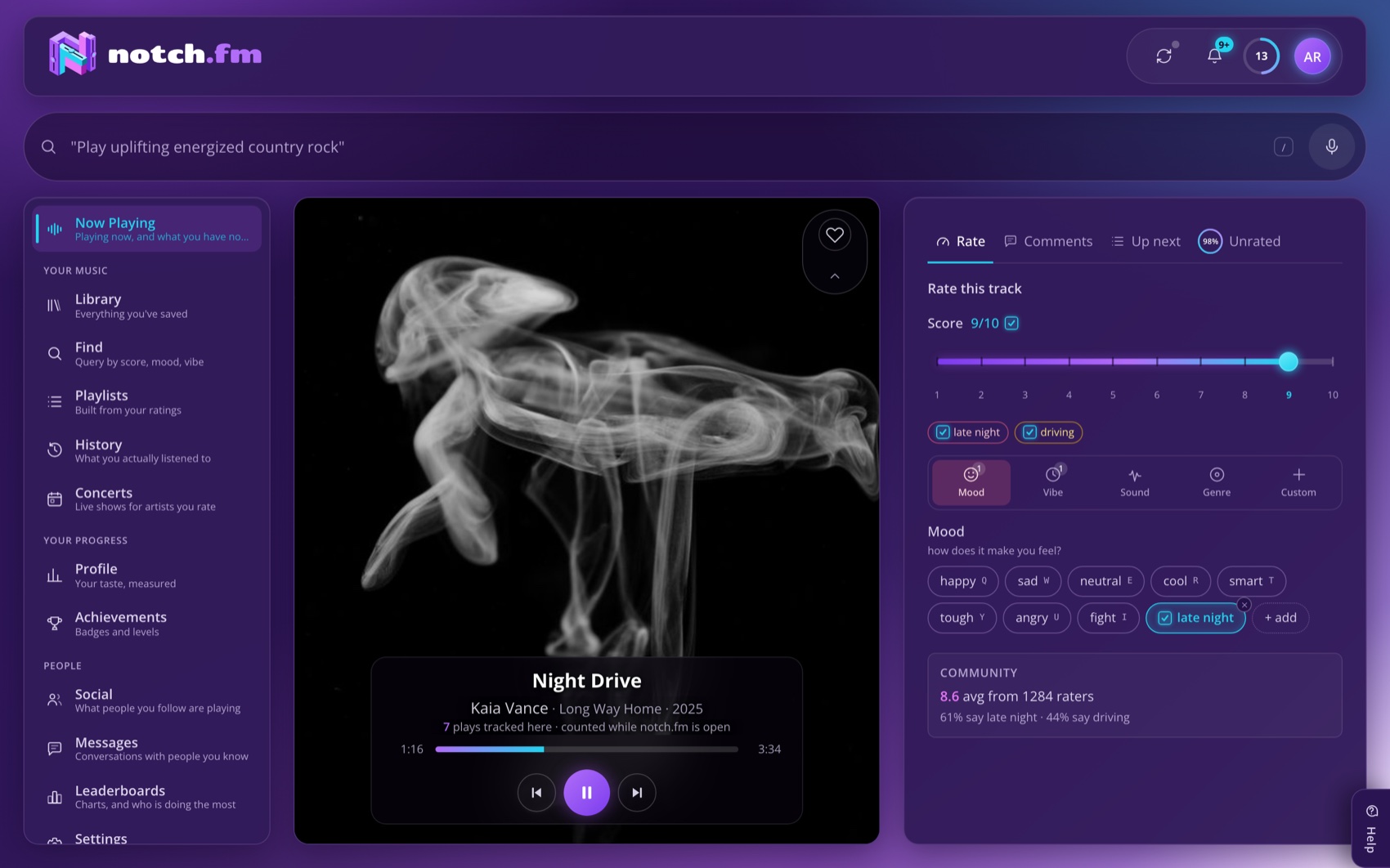
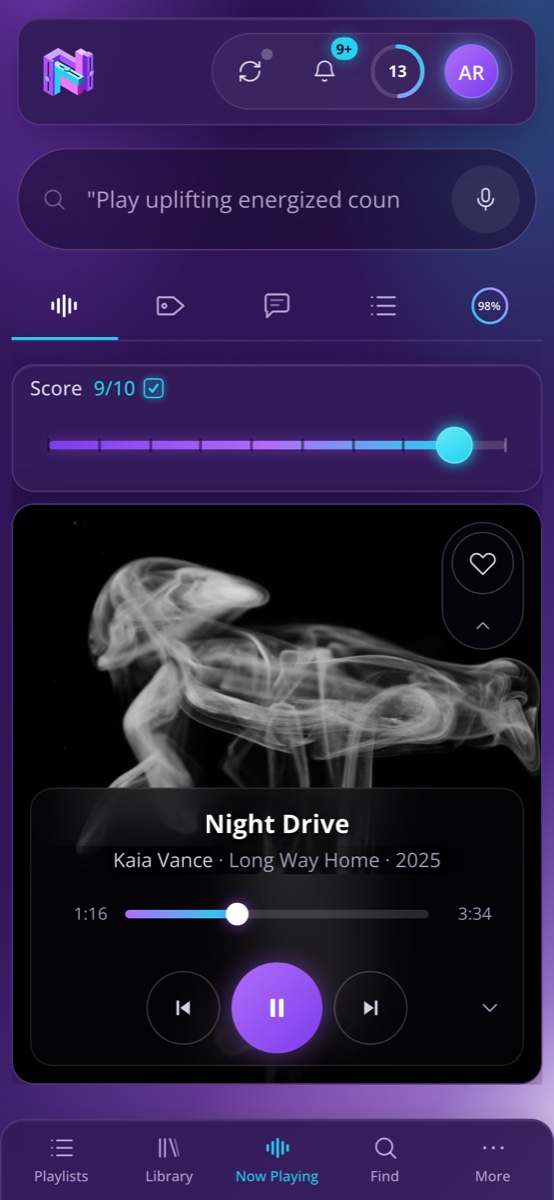
The difference
Streaming measures how long you listened, not what you thought.
Every recommender you have ever used is counting minutes. Minutes measure convenience - the album you left on while you worked, the track that happened to be third in a playlist, the song your commute is exactly long enough for. None of that is an opinion, and no amount of it adds up to one.
notch.fm asks for the opinion directly. A number out of ten, in the two seconds it takes to press one key while the song is still playing. That single act carries more signal than a year of passive plays, because it is the only thing in the system you actually meant.
What a recommender sees
Plays this month
- Fits your commute exactly142 plays
- Track 3 of an album you left on119 plays
- The one from the advert94 plays
- The song you would defend in an argument30 plays
Your favourite song is at the bottom of this chart. It always is, because you save it for when it counts.
What notch sees
Your score, out of 10
- The song you would defend in an argument10
- Track 3 of an album you left on6
- The one from the advert4
- Fits your commute exactly5
Same four songs. Completely different order - and this one is the order you would actually pick.
When a tag is wrong, your correction is the one that sticks.
The tags say the song is indie pop. You know it is post-punk. Change it - and it stays changed, in your library, in every queue built afterwards, in every search you run for the rest of the year. Notch is honest about which values it guessed for you and which ones you set, and one keystroke turns a guess into a decision. Your library becomes a record of your judgement instead of a report on your habits.
Same library, different day
Ask for the moment, not the genre.
Your scores and tags are the filter. One box, plain English, and the queue is songs you already know you love.

The drive
“My 9s and 10s for the drive.”

Head down
“Something I can work to, nothing with words.”

Late, alone
“Late night, nothing loud.”

Out
“My tens I have not heard in a month.”
What you get
Rating, tagging, and asking for what you want.
Rate
A score from 1 to 10, in one move.
A score from 1 to 10, entered with a single keystroke or a drag of the slider, while the song is still playing. No modal, no five stars where four of them mean the same thing, no thumb. A 7 and a 9 are different songs and you want different things from each - now the app knows that too. Miss the end of a track and a twenty second grace window still catches it.
Drag it, or press 9. Either one is the whole interaction.
Tag
Four axes, and any tag you add yourself.
One rating cannot answer “what do I want right now?” - that question has parts. The four axes are deliberately orthogonal: a drum & bass track and a folk track can both be vocal, and acoustic cuts across every genre. Then there is a fifth axis that ships with no vocabulary at all, because every word on it is one you coined.
Ask
One box that builds a queue, finds songs, or answers a question.
Type an instruction and a queue is built and started. Type a description and the matching songs land in front of you. Type a question and notchbot answers it from your own numbers - only ever your own numbers, never a confident guess. And it always shows how it read your words, so you can argue with the reading instead of rewriting the sentence.
- play upbeat country rock
- songs I rated 9 or better
- shuffle my 10s
- queue something loud for the gym
- what is my average score?
Anywhere
The whole thing, on the phone in your pocket.
Not a cut-down companion app. The same score, the same five tag axes, the same search box and the same queues, in the browser you already have open. Rate a song at a bus stop and it is there on the laptop when you get home.
Nothing to install. A native app is planned, not required.
Send somebody a song
Share a track into a conversation from anywhere it appears, with your score attached. Read receipts are per conversation and turning them off stops them for both of you, because a receipt only one person can see is not a convenience.
One superlike every 24 hours
Spend it to pin a song at 10. One every 24 hours, so it costs something to give - and a superlike from somebody who had only one to spend says more than a hundred likes that cost nothing.
Concerts for artists you actually rate
Tour dates ranked the way your stats page ranks artists, so a catalogue you have rated forty times outranks a single you once gave a 10. Not whoever is playing nearest to you.
Queues and playlists, built from your scores
Ask for something and the queue is assembled from the songs you rated highest, band-shuffled so it is not the same twenty tracks in the same order. Any queue can be saved as a real playlist, and pushed to your music service when one is connected.
Comments pinned to a moment
Write a note at 2:14 and it stays at 2:14, for everyone who plays that song. The drop, the lyric, the bit where the drums come in - the conversation happens where it belongs instead of under the whole track.
XP, 50 levels and 25 badges
Rating and tagging pay XP, because the honest problem with a library of four thousand songs is the first afternoon. Badges mark the milestones that actually change what the app can do for you.
A feed of the people you follow
Follow friends and see what they rated, what they superliked and what they argued with. One superlike every 24 hours, spent to pin a song at 10, so it costs something to give.
Community charts
Top-rated songs across everyone who opted in, by day, week, month, year or all time, filterable by mood or genre. Ranked by average score rather than by play count, so a position reflects what people thought of a song and not how long it was left running.
See it move
What rating and asking actually look like.
Rate what is playing on the left; ask for what you want on the right. Both panels below are drawings rather than screenshots - but the squares, the chips, the mk-solid and the type are the ones the app actually ships.
Rate what is playing
An animation of the Now Playing screen: a song plays, a score of 8 out of 10 is entered with one key, mood, vibe and sound tags are added, and the rating earns 12 XP.

Ask for what you want
An animation of the search box: the sentence “play upbeat country rock I rated 8 or better” is typed, the box shows how it read the words, and then it builds and starts a queue.



Pricing
What you get free, and what Premium adds.
Free is a real tier, not a trailer - rate, tag, queue and share on it for as long as you like. Premium lifts the ceilings.
Free
$0/mo
No card. Nothing expires.
- Rate 50 songs a day
- Earn badges and climb the level track
- Post and reply to comments
- Follow as many people as you like
- Up to 10 custom categories per tag type
- One playlist, up to 25 songs
- 150 AI requests a month, up to 15 an hour, across search, notchbot and queues
- 1 superlike every 24 hours
Premium
Recommended$4.99/mo
For when 50 a day stops being enough.
- Everything in Free, plus:
- Rate as much as you like, with no daily pace
- Unlimited custom categories
- Unlimited playlists, any length
- Publish playlists to your profile
- Unlimited AI requests
- Superlikes stay 1 every 24 hours - scarcity is the point
The 50 a day counts only the ratings you set yourself - the profile notch seeds for you on day one is free and unlimited, and the allowance returns as the day rolls forward rather than on a billing date. Upgrade, downgrade or cancel from Settings whenever you like; your ratings are yours either way, and the JSON export never goes behind the paywall.




Your library holds the answer already. Nothing has asked it.
It has never once been asked. Rate a hundred songs on a Sunday, and spend the rest of the year just asking for what you want.
Create accountConnecting a music service is optional. If you do, notch.fm asks it for only what it uses: reading your library, and - when you press the button - saving a like or a playlist. You can revoke that from the service itself at any time.